Events
Description
Whenever a control or some other feature is added to a UX component it usually comes with some event handles. Events are simply a way of specifying where you want some action or bit of code to run in an application, whether on the server-side or the client-side. It is easy to tie actions and/or custom code to an event in the UX Component on both the Client-Side Events and Server-Side Events pages. Simply highlight the event in the list on the right and then define what happens in during that event in the workspace on the left.
Server-side Events
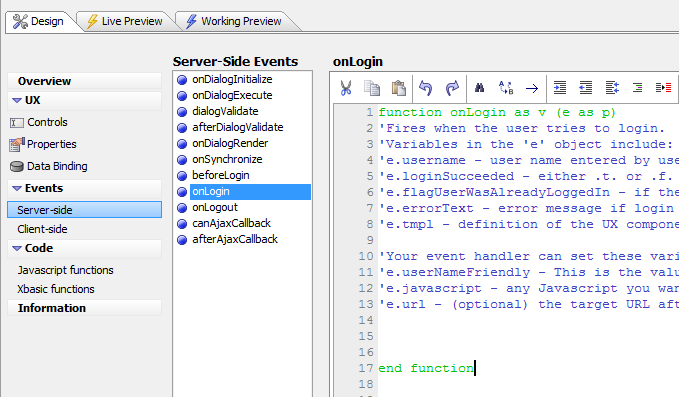
Client-side Events
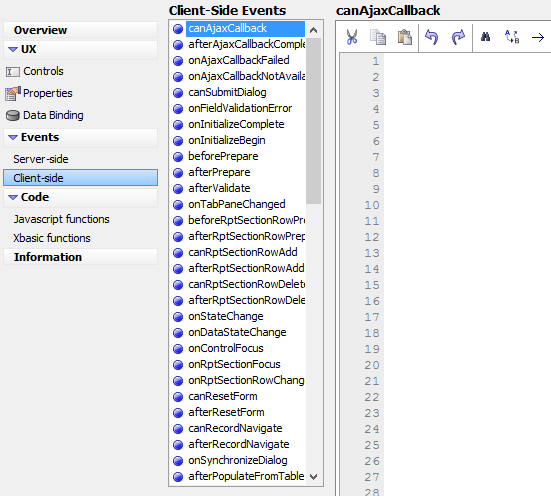
General Tools

Cut
- copy
Copy

Paste

Undo

Redo

Find
- replace
Replace

Goto

Indent

Outdent

Left Align

Format Code

Use an Xbasic Expression to transform code

Comment Out

Un Comment Out
Tools specific to Server-side

Check Syntax

Default Prototype

Action Scripting
Tools for the Client-side
- actionjavascript
Action Javascript
- insert
Insert